00Singularity Hub
Singularity Hub
Welcome. This is the home of Singularity, a free robotics simulator for Windows. Here you will find how every part works, explained slowly and in plain words, with programs you can copy and run. Nobody is expected to know it all already. Start at the top and go at your own pace.
Step zero
Download Singularity
- Price: free. No account, no sign-in, no ads.
- Computer: Windows 10 (version 1809 or newer) or Windows 11, 64-bit.
- Internet: only to download it. After that it works fully offline.
- Graphics: any normal laptop works. On very old ones choose Fast graphics in the World tab.
If the button does not open the Store, copy the link above into your browser, or search for “Singularity by Antiproton” in the Microsoft Store app.
Quick start
Your first five minutes
- Open Singularity. Wait for Python ready in the top-right corner (the first start takes a few seconds while Python loads).
- Pick lesson 01, Hello, Robot in the Lessons tab on the left. Its code appears on the right.
- Press Run (or Ctrl + Enter). The robot drives and the Terminal under the code prints what it says.
- Change one number, for example the speed, and press Run again. That is programming a robot.
- Drive it yourself any time with W A S D (click the 3D view first), or open the Drive window.
robot.forward(0.3)      # drive forward at 0.3 meters per second
robot.wait(2)            # keep going for 2 seconds  (0.3 x 2 = 0.6 m)
robot.turn(90)           # turn 90 degrees to the left, then stop
print("Hello! I moved.")Pages
What is in the hub
- 01
First steps
The screen, units, worlds, robots, wheels and the map grid.
Open - 02
Sensors, one by one
Every sensor alone: what it measures, its range, how to read it, a test.
Open - 03
SLAM and A* navigation
Map a place, read the live map in Python, plan with A*, drive there.
Open - 04
ROS nodes and topics
Every topic and node, message types and terminal commands.
Open - 05
The robot library
Every robot command and helper, with units and examples.
Open - 06
From Singularity to a real robot
Parts, wiring, software and what changes in real life.
Open - 07
Questions and fixes
The questions students ask most, answered plainly.
Open
Version 1.0
What Singularity can do today
- 01
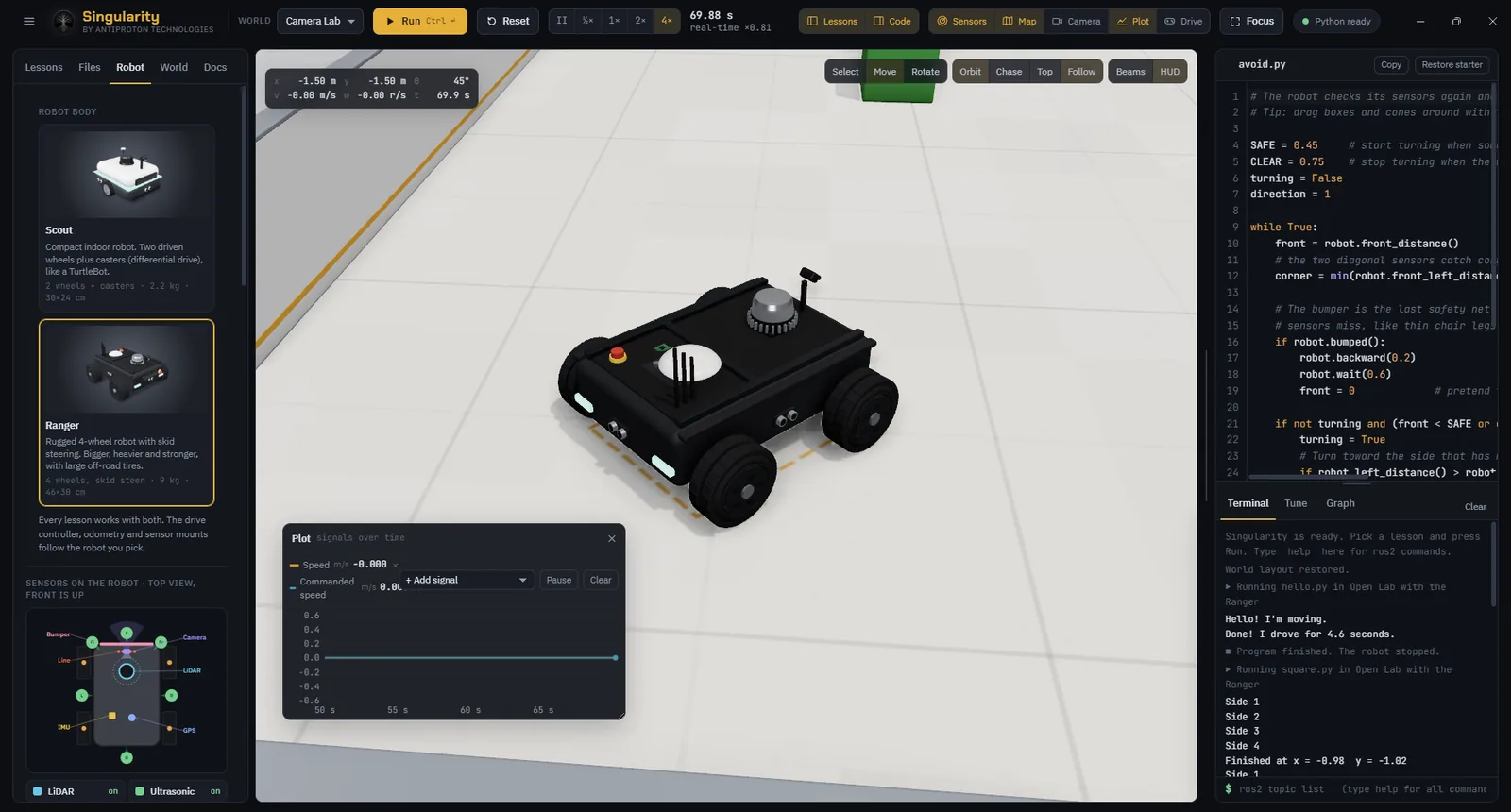
Interactive 3D robotics simulation
Real-time physics, two robots, eight worlds and a world builder.
- 02
Python-based programming
Python 3.12 with NumPy: simple commands or ROS-style nodes.
- 03
Virtual sensors and robot behavior
LiDAR, ultrasonic, camera, IR, IMU, encoders, GPS and bumper.
- 04
Guided learning and experimentation
Sixteen lessons, from first moves to SLAM, plus a guide.
- 05
Desktop application experience
Works fully offline. No accounts, no tracking.
The 16 lessons
- 01Hello, RobotBasics
- 02Square DanceBasics
- 03Don’t CrashBasics
- 04Your First ROS NodeROS 2
- 05Obstacle AvoiderROS 2
- 06Wall Follower (PD)ROS 2
- 07Heading PIDROS 2
- 08Line Follower (IR)ROS 2
- 09Camera Line FollowerROS 2
- 10Follow the Red BallBasics
- 11Circle the Post in the DarkROS 2
- 12Wheel OdometryROS 2
- 13Go to GoalROS 2
- 14Map a Building by HandBasics
- 15Map with SLAMROS 2
- 16Build Your Own MapROS 2
Not in version 1.0 yet
- In Development
Built-in path planning lesson
A* on the robot’s own SLAM map, as a guided lesson. (You can already do it today with the program in the Singularity Hub.)
- Concept
OpenCV and SciPy in programs
More of the scientific Python toolset for camera and math work.
We are here
Help and support
Email antiprotontechnologies@gmail.com. Inside Singularity, the ☰ menu has Help & Support, with a Copy details for support button: paste that into your email and we can help you much faster. You can also follow us on LinkedIn (opens in a new tab). Our privacy policy is here (short version: Singularity collects nothing).
Stuck on something this page did not answer? Write to us at antiprotontechnologies@gmail.com. Paste what you tried and what happened (the Copy details for support button in Singularity’s Help & Support window helps us a lot).